 tuckerbox
Good food, all week, for less.
Tuckerbox plans your family's meals around who's home and what they can eat, then turns them into one shopping list and finds the cheapest Australian supermarket for it.
- Free
- No ads
- Made in Australia
How it works
From "what's for dinner?" to a packed trolley.
-
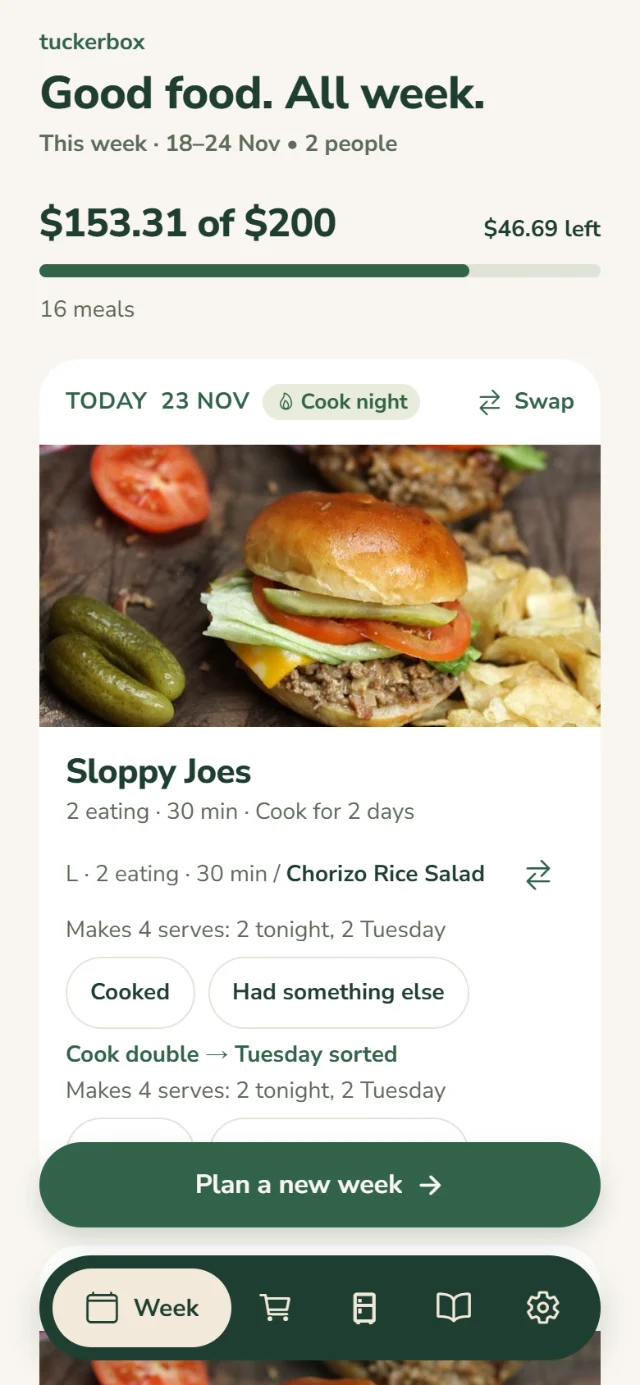
A week of meals in one tap
Breakfasts, lunches and dinners sized for who's home each day, with leftovers worked in and the whole week kept under your budget.
-
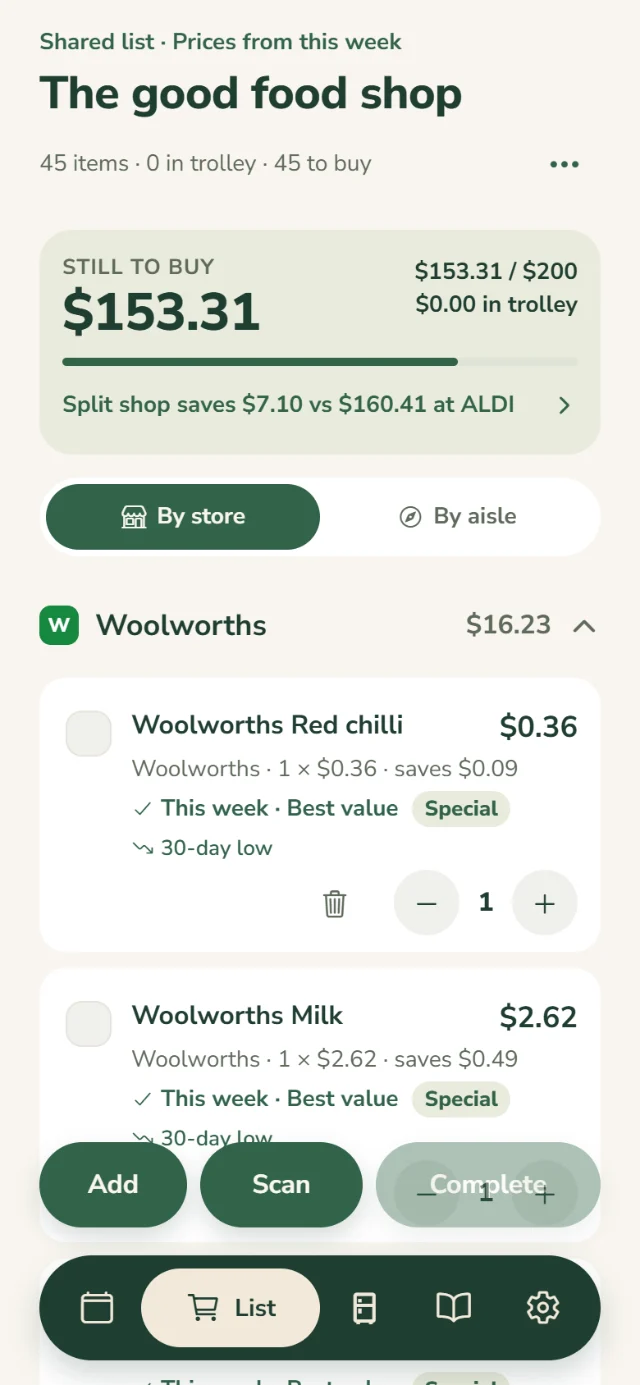
One list, priced at every store
Woolworths, Coles, ALDI and more compared item by item, so you know where it's cheapest, what's on special and what a split shop saves.
-
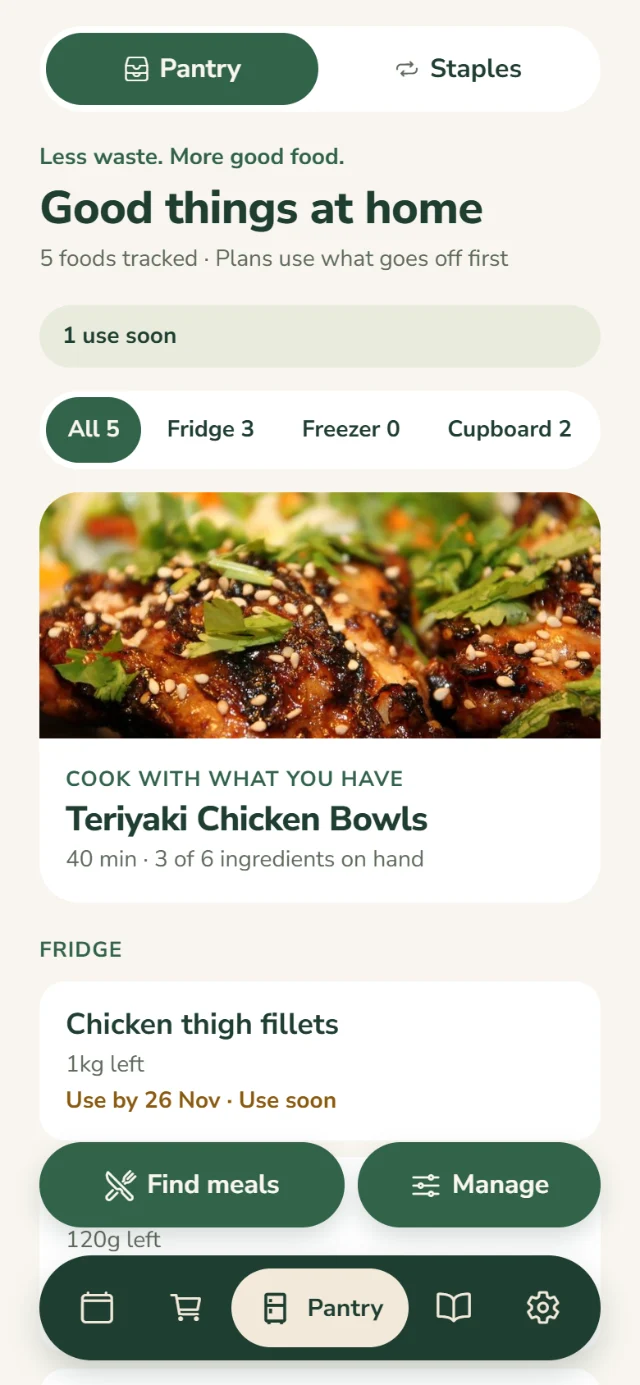
Cook with what you've got
What you buy lands in the pantry, and Tuckerbox suggests meals that use it up before it goes off.
-
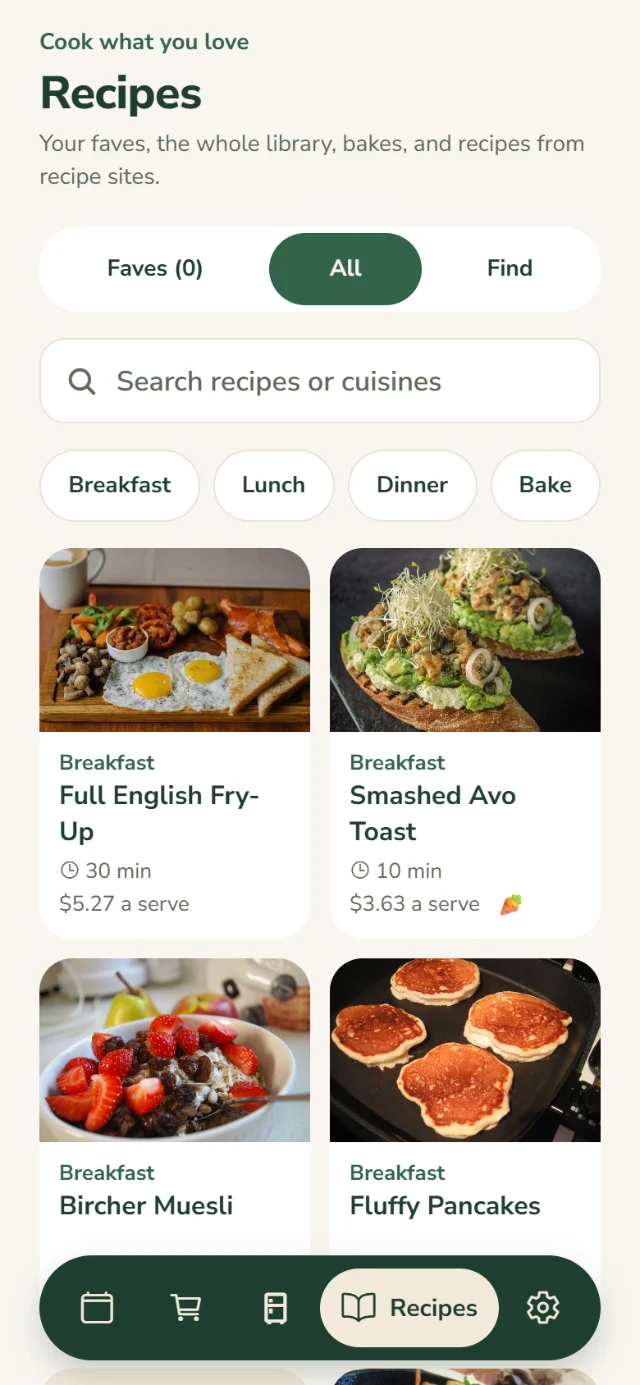
Meals your family will actually eat
Rate what you cook and the planner learns. Allergies, dislikes and diets are worked around for every person.
Made for real families
The weeknight juggle, handled.
Fussy eaters, allergies, a budget and three different supermarkets. Tuckerbox keeps track so you don't have to.
-
Everyone catered for
Each person's age, allergies, diet and dislikes. Gluten-free and dairy-free swaps are made for you, and anything on the list that isn't safe gets a warning.
-
One list for the whole family
The shopping list is shared live. Tick something off in the shop and it updates on everyone's phone.
-
Specials worked in
Real prices from the stores near you. Meals lean on what's on special this week, and the plan stays under your budget.
-
Less food thrown out
The pantry knows what goes off first, so the week uses it up. Cook double nights turn into ready-made lunches.
-
Learns what you love
Rate meals as you go. Favourites come back more often, and the ones nobody liked quietly disappear.
-
Scan as you shop
Scan a barcode to add it to the pantry or the list. Receipts can be read in to keep prices honest.
Plan your first week tonight.
Set up your family in a couple of minutes. Tuckerbox does the planning, the list and the price-checking from there.
- 1Open tuckerboxapp.au/app in Safari.
- 2Tap the Share button, then Add to Home Screen.
- 3Open Tuckerbox from your Home Screen, like any app.